The short version
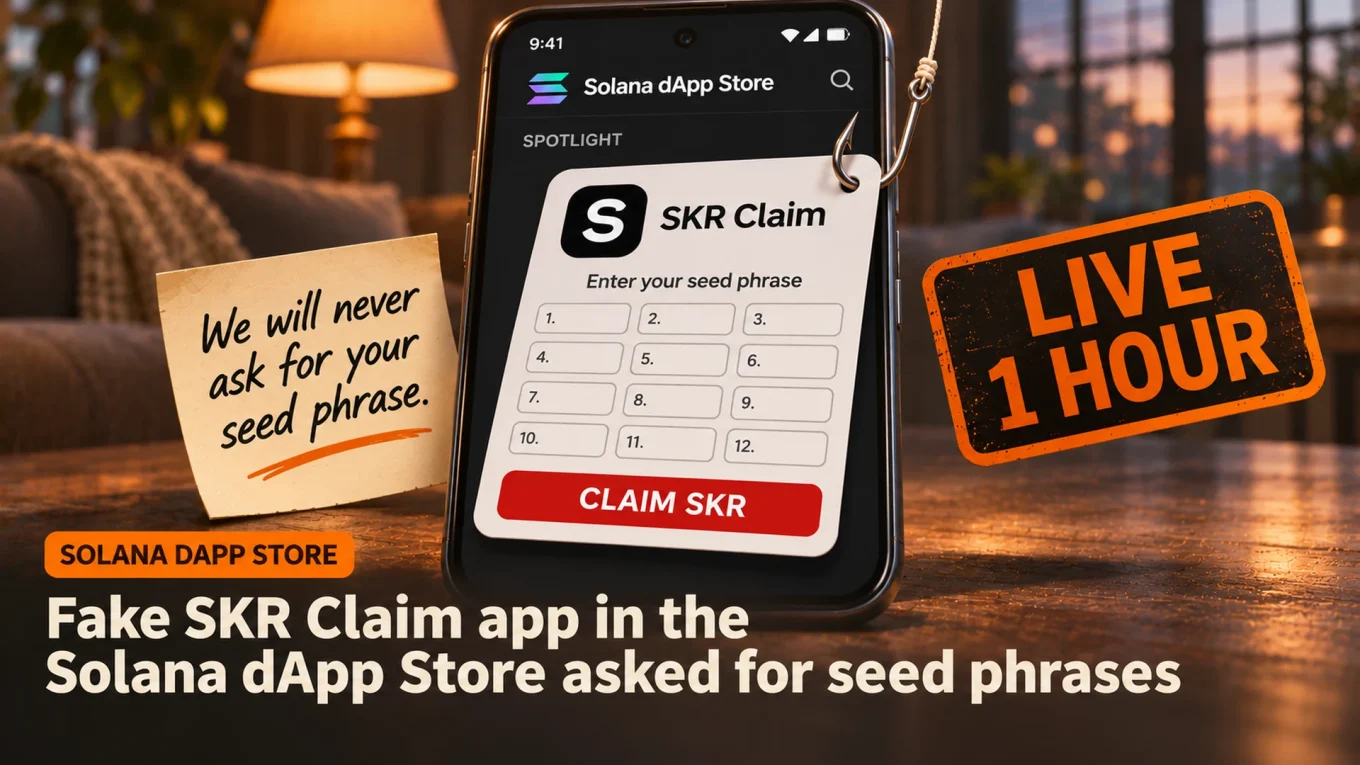
- Solana dApp Store: after someone got into its publishing portal on November 1, a fake “SKR Claim” app sat in the store’s Spotlight for one hour and asked Seeker owners for their seed phrase.
- Real SKR claims happen in the Seed Vault Wallet and never need your 12 or 24 words; anyone who typed them in should move everything to a new wallet now.
- Next: how the attacker got into the portal and whether any wallets were drained, which Solana Mobile hasn’t said yet. Follow Base Camp on X for the update.
The safest place to find an app on a Solana Seeker phone is supposed to be its own store. On Sunday, it became the scam. Someone got into the Solana dApp Store’s publishing portal and put a fake “SKR Claim” app in the store’s Spotlight, the first thing owners see when they open it.
The app had one job: get users to type in their seed phrase. It stayed in the Spotlight for one hour before Solana Mobile pulled it. So how did a phishing app end up on the front page, and what should Seeker owners do now?
Solana Mobile confirmed it on X on Sunday evening:

Today a malicious third party app named “SKR Claim” was submitted to the Solana dApp Store. The App Spotlight and Quests UI were updated following unauthorized access to the dApp Publishing Portal. The app requested entry of user seed phrases.
The app was live on the dApp
What Happened on the Solana dApp Store?
A “malicious third party app” named SKR Claim was submitted to the Solana dApp Store on November 1, Solana Mobile said. After “unauthorized access to the dApp Publishing Portal”, the App Spotlight and the Quests screen were changed to point owners to it. The app then asked for their seed phrase, the 12 or 24 words that control a wallet.
The app was live in the Spotlight for an hour, was then removed from the store, and is being removed from phones that installed it. Solana Mobile says the attacker used a bug that let the store link to apps that were not fully published, and that bug is now patched.
What it didn’t say matters just as much. There is no word yet on how the attacker got into the publishing portal, how many people installed the app, or whether any wallets were drained.
Sponsored · Affiliate link
Save 20% on fees trading on WEEX
Base Camp may earn a commission if you sign up. It never affects what we write.
Why a Fake SKR Claim App Worked
Because SKR claims are real. Seeker SKR, the phone’s own token, has paid out nearly 2 billion tokens to phone owners and app developers since January, and smaller claim rounds have followed. A claim button in the official store looks like one more payday.
The real thing never needs your words. Owners claim SKR in the Seed Vault Wallet under the Activity Tracking tab, and the phone’s Seed Vault keeps the seed phrase locked inside the device. Typing it into an app is the only way to get it out, which is exactly what this app asked for.
Solana Mobile said it plainly: it “will never ask you for your seed phrase, for crypto, or to connect your wallet to other apps/sites to claim airdrops.”
SIDE TRAIL: Keystone Wallet Breach: Maker to Destroy 18,835 Devices After Key Theft
What to Do If You Entered Your Seed Phrase
Treat that wallet as gone. Removing the app doesn’t help, because the attacker already has the words, and a seed phrase can’t be changed.
- Make a new wallet with a new seed phrase on the Seeker, and write it down offline.
- Move everything to it now, staked SKR and NFTs included, and keep a little SOL back for the fees.
- Never reuse the old seed phrase, and don’t send funds back to its addresses.
- Ignore anyone who offers to “recover” your coins. That is the next scam.
If you saw the app but never typed anything, you are fine. Check that it’s gone from your phone.
SKR Price Barely Moved
SKR trades at $0.0125 at the time of writing, little changed since Solana Mobile’s post and down 29% in 30 days, with a market value of about $91 million.
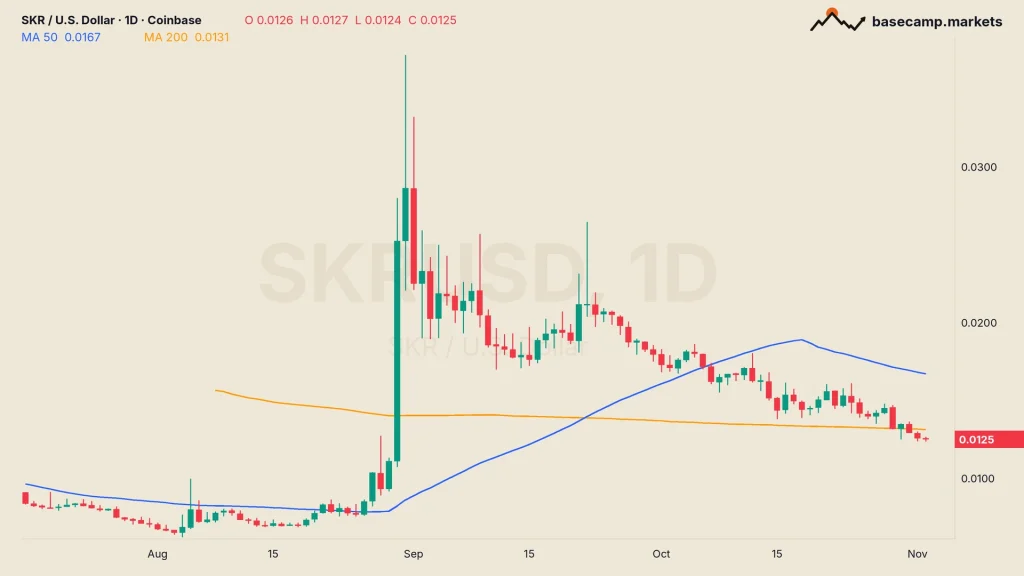
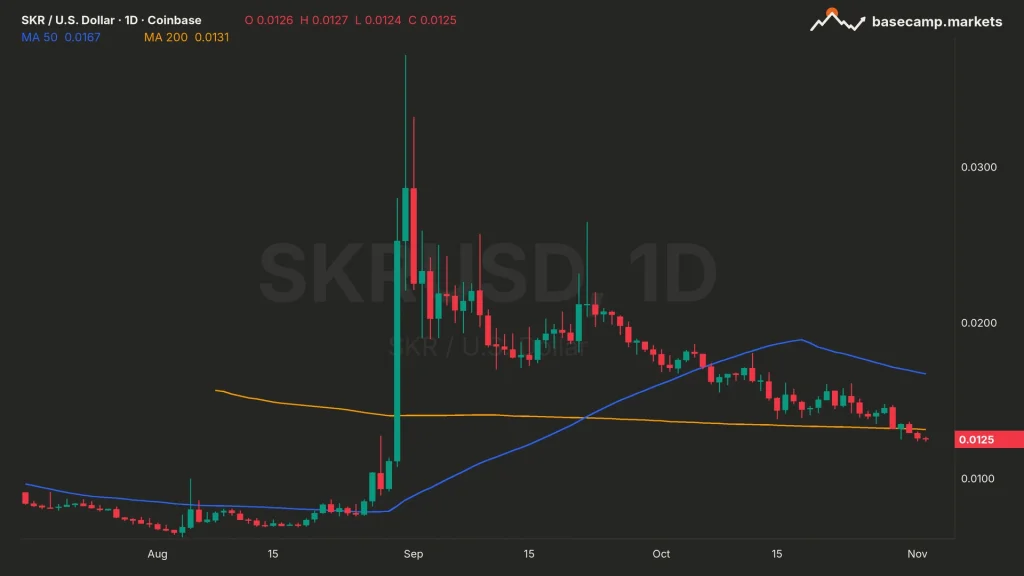
The token has closed under its 200-day MA, now $0.0131, every day since Saturday and sits 66% below its August 31 high of $0.0372. The hack didn’t move the price. What it hit is trust in the store, which Solana Mobile pitches as the safe way to find Solana apps on a phone.
TRAIL MAP: The 10 Most Common Crypto Scams and How to Spot Them
An app store that can be used to push a phishing app, even for an hour, owes its users the full story. How the attacker got into the publishing portal is the answer Seeker owners need next.

VikingXBT has been trading crypto since 2017. The focus is futures, onchain data and automation. Onchain flows get checked before a chart is trusted, and anything repetitive gets automated. VikingXBT built Base Camp's own onchain scanner, which flags bundlers, snipers, dev holdings and wallet clusters in one view, and backtests strategies before trading them.
More from VikingXBT