
The short version
- Your email is the master key to everything else. Secure it first.
- Use a password manager and a different password for every account.
- Turn on 2FA with an authenticator app, a passkey or a security key. SMS is the weakest option.
- Never log in through a link. Bookmark your exchanges and go through the bookmark.
Most crypto accounts aren’t hacked by geniuses. They’re opened with a reused password, a code read out to a fake support agent, or a login page that looked just like the real one.
That’s good news, because it means a few habits stop most of it. Set aside ten minutes, go through this guide once, and you’re ahead of the vast majority of crypto holders.
Start with your email
If someone controls your email, they can reset the password on your exchange, your wallet apps and your phone account. So secure it before anything else:
- Give it a long, unique password.
- Turn on the strongest 2FA it offers (more on that below).
- Check the recovery phone number and backup email are yours and still work.
- Review the list of devices signed in and remove any you don’t recognize.
Many careful holders also use a separate email address only for exchanges, one that never appears on social media or newsletters. Scammers can’t phish an address they don’t know.
Use a password manager
A password manager (Bitwarden, 1Password, the one built into Apple or Google devices, and others) creates and remembers a different strong password for every site. You only remember one master password.
Why it matters: data breaches leak millions of passwords every year. If you use the same password on a forum and an exchange, a breach on the forum is a breach on the exchange.
There’s a hidden bonus too. A password manager fills in your password only on the real website. If it refuses to autofill, look very carefully at the address bar: you may be on a fake site.
Watch out. A password manager is for passwords. Your wallet’s seed phrase stays on paper or metal, offline. See Your first wallet, set up safely.
Pick the right kind of 2FA
Two-factor authentication (2FA) means logging in needs something you know (your password) plus something you have (your phone or a key). Not all second factors are equal:
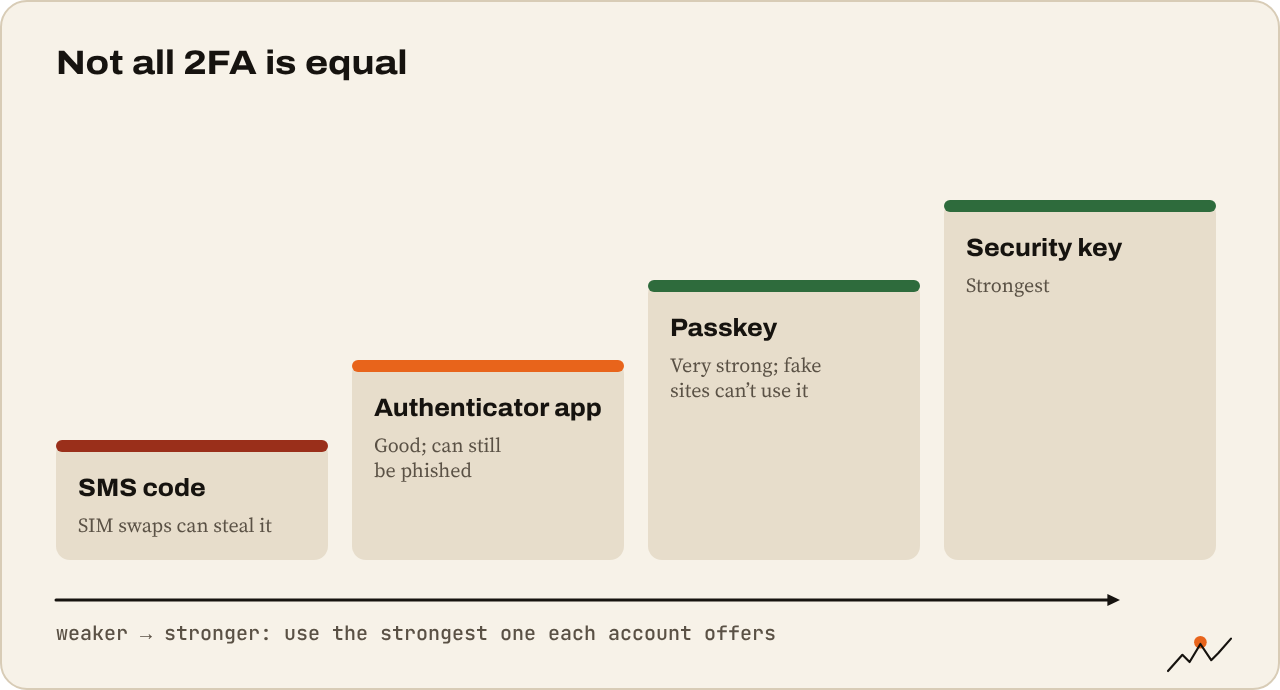
| Method | How it works | Safety |
|---|---|---|
| Security key (YubiKey and similar) | A small USB or NFC key you tap | Strongest, and immune to fake websites |
| Passkey | Your phone or computer confirms with your face, fingerprint or PIN | Very strong, also immune to fake websites |
| Authenticator app (Google Authenticator, Authy, 2FAS, etc.) | Six-digit code that changes every 30 seconds | Good, but can be phished on a fake site |
| SMS code | Code sent by text message | Weakest: vulnerable to SIM swaps |
Use the strongest one each account offers. On exchanges, an authenticator app is the minimum. Many now support passkeys and security keys; use them if you can.
When you set up an authenticator app, save the backup codes somewhere safe and offline. Lose your phone without them and you’ll be locked out for days.
Watch out for SIM swaps
In a SIM swap, a scammer convinces your phone carrier to move your number to their SIM card. Every SMS code now goes to them. It’s how many big crypto thefts start.
To protect yourself:
- Remove your phone number as a 2FA method on exchanges and email where you can.
- Ask your carrier to add a port-out PIN or SIM lock to your account.
- Keep your phone number off public profiles.
Spot phishing before it spots you
Phishing is any fake message or website built to get your login, your 2FA code or your wallet signature. In 2026 it looks very real: perfect logos, correct names, even an AI-cloned voice on the phone.
Common versions:
- An email that your account is locked or a withdrawal is pending, with a “Review now” button.
- A sponsored search result that leads to a copy of your exchange.
- A DM on X, Discord or Telegram from “support” offering help with a problem you posted about.
- A call from your “exchange’s fraud team” who already knows your name and address, often from leaked customer data. Coinbase disclosed in May 2025 that criminals had bribed support staff to steal customer details for exactly this kind of call.
The habits that beat almost all of it:
- Never log in through a link. Use a bookmark or the official app.
- Never share a code. A 2FA code, an email confirmation code, a password reset link: no real employee will ever ask for one.
- Hang up and call back through the number in the official app if someone calls you.
- Slow down when it’s urgent. Urgency is the scammer’s main tool.
- Check the address bar before you type anything. One letter off is all it takes.
Tip. Most exchanges let you set an anti-phishing code: a word you choose that appears in every real email they send. No code in the email, no click.
Lock down the exchange itself
Exchanges offer extra safety settings that most people never open. Look for:
- Withdrawal address allowlist: coins can only be sent to addresses you saved earlier, often with a 24 to 48-hour delay for new ones.
- Anti-phishing code in emails, as above.
- Device management: sign out old devices and get alerts for new logins.
- Withdrawal confirmation by email plus 2FA.
With an allowlist on, even a thief who gets into your account can’t send your coins to themselves right away.
Your 10-minute security checklist
- My email has a unique password and strong 2FA
- I use a password manager and no password is reused
- Every exchange uses an authenticator app, passkey or security key, not SMS
- I saved my 2FA backup codes offline
- My phone carrier account has a SIM lock or port-out PIN
- I log in only through bookmarks or official apps
- Withdrawal allowlist and anti-phishing code are on at my exchange
Where to go next
Your accounts are locked. The last step in Stay safe is the one where money is lost most often by honest mistake: Sending crypto without losing it.

On the climb since 2017. Trades futures and reads onchain data. Automates the boring parts.
More from VikingXBT →